
Search Bayfield County Police Records
Bayfield County Police Records are easiest to sort when you match the record to the office that keeps it. The sheriff's office page points you toward forms, civil process information, traffic safety, sheriff sales, and VINELink, while the jail page covers inmate mail, visitation, fingerprinting, and Huber paperwork. For court records and older case details, WCCA is the main public starting point, and the state crash report portal handles wreck reports. If you are trying to find Bayfield County Police Records, begin with the sheriff, jail, or court record that fits the question, then move outward from there.
Bayfield County Police Records from the Sheriff
The Bayfield County Sheriff's Office page is the first official place to look when a request starts with Bayfield County Police Records. The page opens with the department mission and then routes users to deeper pages such as Bayfield County Jail, Civil Process Information, Concealed Carry, Fireworks, Forms, Fraud, Prescription Drug Drop, Press Releases, Recreational Vehicles, Reserve Unit, Sheriff Sales, Traffic Safety, and VINELink. That layout matters because it shows where the office expects people to go first.
For records work, the most promising path is the Forms link. That is where a requester is most likely to find a records request form, an accident report form, or another standard office form. Civil Process Information is also useful because it helps explain how restraining orders, subpoenas, evictions, and similar documents move through the sheriff office. VINELink is a useful extra tool because it can support custody checks when a jail record is part of the search.
The sheriff landing page does not show a direct records email or a full public request portal on the page itself, so a caller should be ready to move one step deeper. Bayfield County Police Records often begin with the sheriff office, but they do not end there. A traffic question may lead to the DOT crash portal, while a court matter may lead to WCCA or the clerk of circuit court.
Before you call, keep the search simple and specific. The office can help more quickly when you know whether the record is a sheriff file, a jail question, or a court case.
- Full name of the person involved
- Date of the incident, booking, or crash
- Case number, if you already have one
- Whether you need a sheriff, jail, or court record
Bayfield County Police Records and the Jail
The Bayfield County Jail page gives practical details that matter when Bayfield County Police Records involve custody, jail mail, or inmate contact. Fingerprinting is available on Tuesdays from 6:00 PM to 7:30 PM and Sundays from 1:00 PM to 4:00 PM, but you must bring your own fingerprint cards and call 715-373-6117 for an appointment. That service is separate from the records request process, yet it often comes up when someone needs a verified law enforcement record path.
The jail page also sets out the mail and visitation rules. Mail should be addressed to Inmate's Name, c/o Bayfield County Jail, P.O. Box 115, Washburn, WI 54891, and the sender name and return address must be on the envelope. Visitation is first come, first served, and visitors must go to the Sheriff's Office Lobby in person with picture identification. The listed visiting hours are Monday through Friday from 8:00 AM to 3:00 PM, with a shorter Tuesday window from 8:00 AM to 11:00 AM.
Bayfield County Police Records users should also note that the jail page does not show a public online inmate roster or booking log. Instead, it gives the jail administrator contact information for Luke Kleczka, the jail phone number (715) 373-6117, and the fax number (715) 373-6323. That means a custody or inmate question usually starts with a call or written inquiry, not an online search box.
Huber paperwork is another useful clue. The jail page links to Huber release agreements, work release schedules, work verification forms, property locker agreements, and rules of release. Those documents tell you how work release is handled and what the jail expects from inmates, employers, and family members.
Note: Bayfield County Police Records related to jail custody can require a phone call even when the county has other public pages online.
Bayfield County Police Records Search Tools
When a Bayfield County Police Records search reaches the court system, the Wisconsin Circuit Court Access portal is the best official public tool. It is the Wisconsin Court System's statewide case access site, and it shows criminal, civil, family, traffic, and small claims cases by name or case number. The portal also displays charges, court dates, case status, case numbers, and dispositions, which is why it is often the fastest way to confirm what happened after an arrest or citation.
The same statewide approach works for crash reports. The Wisconsin Department of Transportation crash portal lets users search and purchase reports online, and the reports are available as PDFs after payment once the reporting agency has completed them. If a Bayfield County Police Records search begins with a traffic crash, the DOT tool is usually a better fit than the sheriff office because it is designed for that record type.
For state criminal history record checks, the Wisconsin Department of Justice record-check system is the official online portal. The research notes that it charges a fee for online requests, shows results when they are ready, and keeps the response available for a limited time before a new request is needed. That makes it a separate tool from the county's police files, but it can still help when a Bayfield County Police Records question involves statewide criminal history instead of a local incident report.
The Wisconsin State Law Library county directory is another strong reference for Bayfield County Police Records. It identifies the Clerk of Court/Register in Probate as the office for court forms and court records, the County Clerk for county government records, the Register of Deeds for vital and land records, and the Sheriff's Department for county law enforcement, jail operations, civil process, and criminal warrants. That directory is useful because it shows which office owns which slice of the record set.
Bayfield County Police Records Images
This Bayfield County Police Records image links to the sheriff office page at Bayfield County Sheriff's Office.
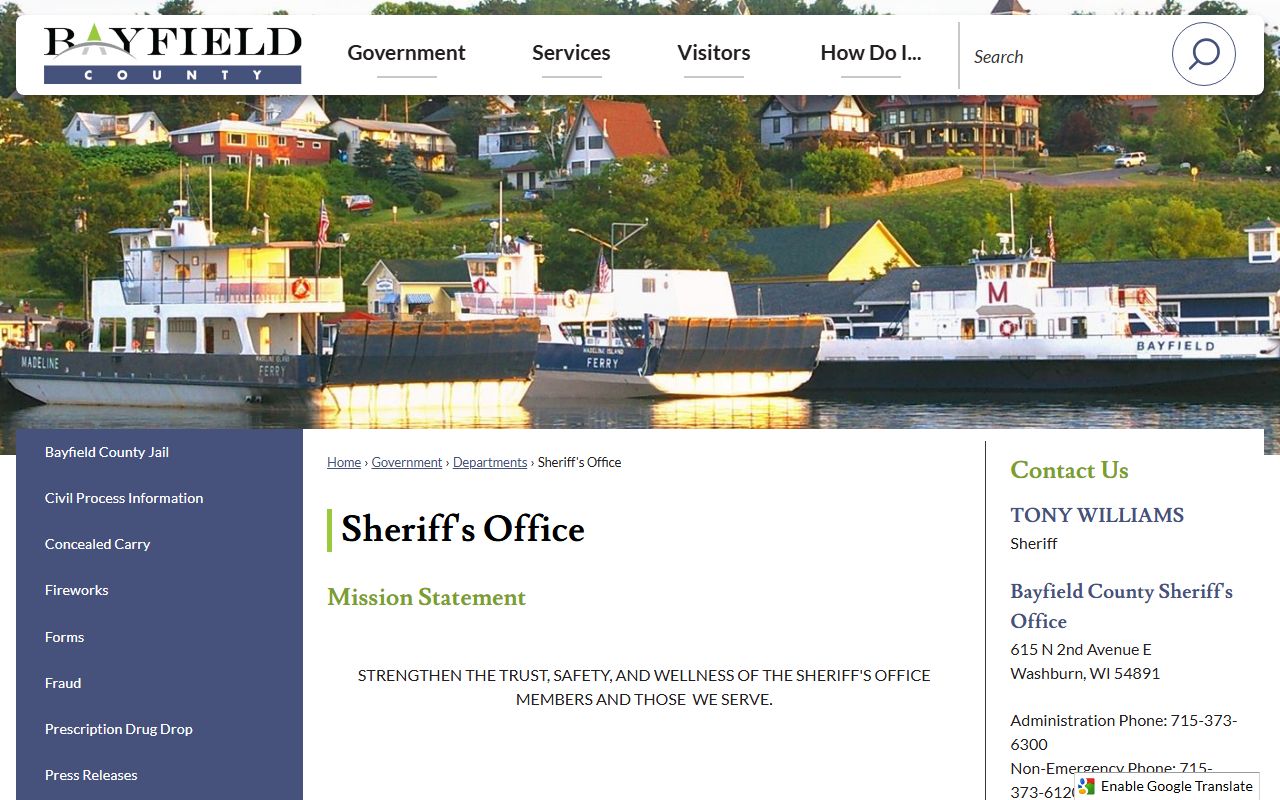
That page is the best first stop when a Bayfield County Police Records request needs the sheriff office, a form, or a route to VINELink.
The second Bayfield County Police Records image comes from the jail page at Bayfield County Jail.
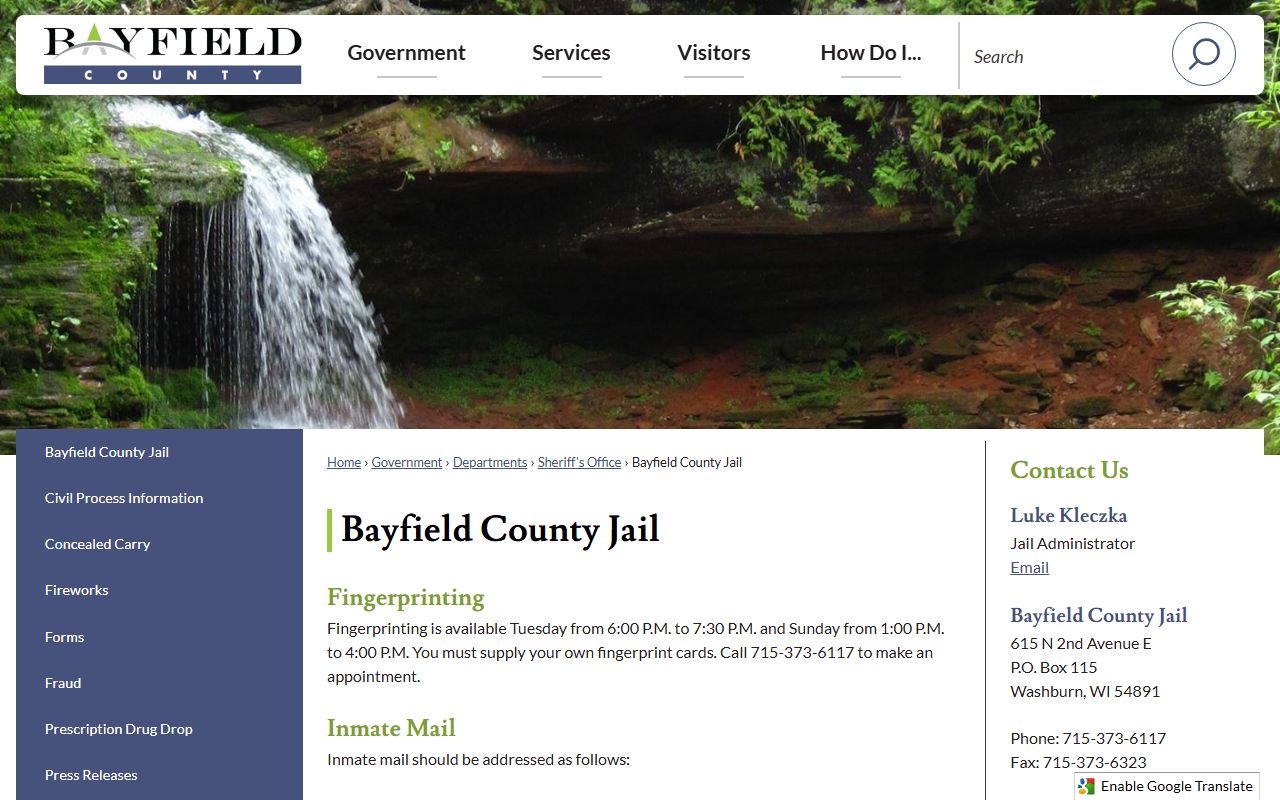
That image reflects the jail side of Bayfield County Police Records, including visitation, mail rules, and the Huber materials linked on the page.
The third Bayfield County Police Records image links to the county homepage at Bayfield County homepage.
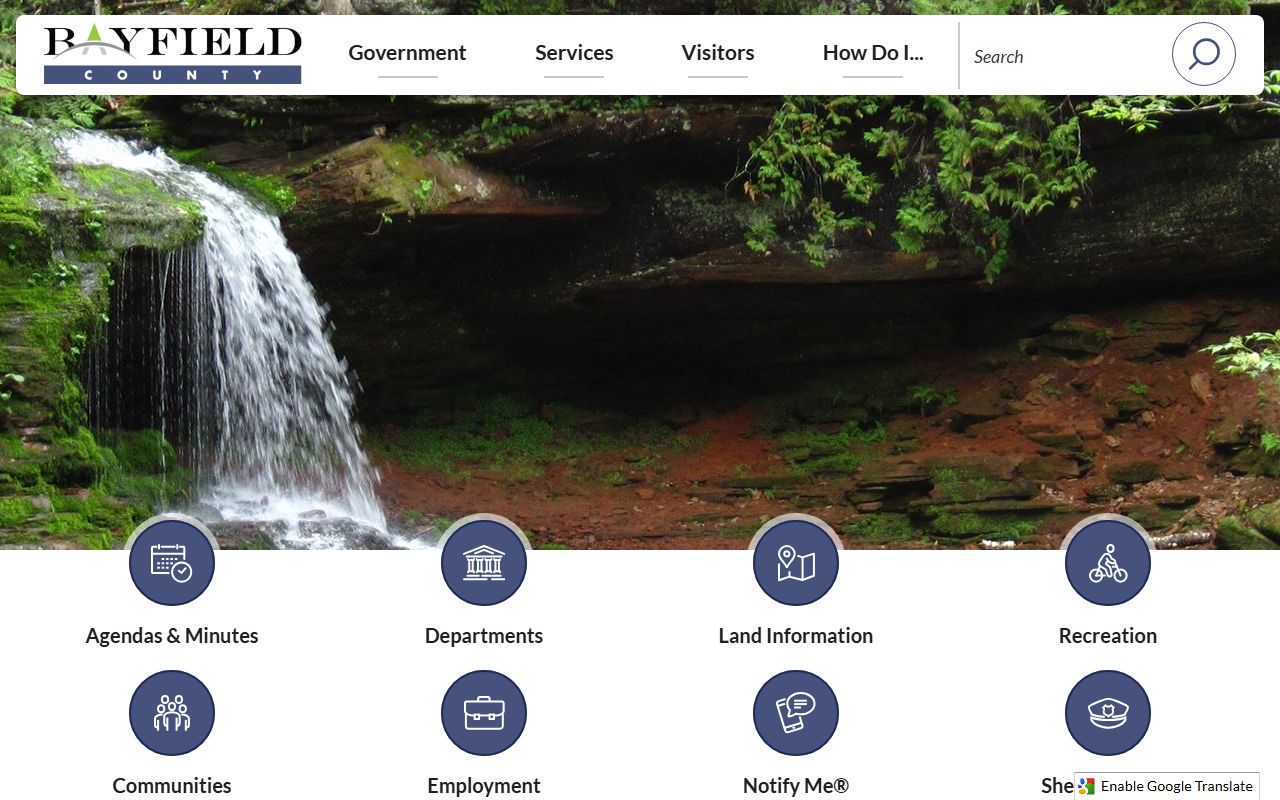
The county homepage works like a map, so a Bayfield County Police Records search can move from a general county entry point to the office that actually holds the file.
The final Bayfield County Police Records image comes from the county's request landing page at Bayfield County records request portal.
That portal image is useful as a signpost, but the real records work still happens with the sheriff office rather than the vendor page itself.
Bayfield County Police Records and Open Records Law
Bayfield County Police Records are governed by Wisconsin's public records law, which starts from a presumption of access. The Wisconsin Department of Justice open government guide explains that authorities work from existing records, not from new records created just to answer a question. It also explains the balancing test that can support redaction or withholding when privacy, safety, or another public interest outweighs disclosure.
That state rule matters at the county level. If a Bayfield County Police Records request reaches a sheriff file, an active investigation, or a jail record that contains personal data, the office can release the public portion and withhold the rest. The law library directory helps confirm where the request should go, while WCCA and the DOT crash portal handle the court and crash side of the record picture.
The most useful state references are Wisconsin DOJ open government resources, Wis. Stat. § 19.31, Wis. Stat. § 19.35, and Wis. Stat. § 19.36. Together they explain why some Bayfield County Police Records are easy to inspect, while others need redaction, a different office, or a narrower request.
Note: Bayfield County Police Records often sit in more than one system, so matching the office to the record type usually gets the best result.