
Search Milwaukee Police Records
Milwaukee Police Records usually split into crash reports, incident reports, city datasets, and municipal court citations. That makes the first step simple: decide whether you need a police report, a crash file, a citation search, or a public data view. The Milwaukee Police Department keeps its open records work separate from the city’s general web pages, and the municipal court handles the citation side. If you begin with the right office, Milwaukee Police Records are much easier to trace and much less likely to bounce around between unrelated city desks.
Milwaukee Police Records Requests
The Milwaukee Police Department open records page at MPD open records is the main place to begin. The department routes requests through its crash report page and through the open records office at mpdopenrecords@milwaukee.gov. The department also lists a phone number, 414-935-7502, and an office counter at 2333 North 49th Street, 2nd Floor, with in-person service on Tuesdays and Thursdays starting at 8:00 a.m. That makes Milwaukee Police Records easier to request than many city records because the contact path is spelled out clearly.
The open records page and the crash reports page show that MPD treats report requests and crash requests differently. Report requests go through the records office. Crash requests often move through the department and then into the state system once the report is ready. The city’s records guidance also notes that crash reports are generally available from the Wisconsin Department of Transportation after about 10 business days. That means a Milwaukee Police Records request may need a short wait before the full DT4000 report is ready for release.
When you make the request, keep it direct and factual.
- Name of the person or incident involved
- Date or date range
- Location or street name
- Type of record you want
- Crash or report number if you already have it
That kind of detail helps the records staff sort an incident report from a crash report or a citation file. It also matters because some Milwaukee Police Records are released with redactions, especially when the report contains private or protected information. A clear request is the fastest way to get the file you actually need.
Milwaukee Police Records and Crash Reports
Crash reports are a major part of Milwaukee Police Records, but the city does not keep the completed DT4000 database itself. The city’s crash report page says completed state crash reports become available through the Wisconsin Department of Transportation after they are processed, which usually takes about seven to ten business days. If the crash is not reportable, MPD keeps the form and handles the request directly. That distinction matters because the right office depends on whether the crash went to WisDOT or stayed with MPD.
The city also maintains a traffic crash dataset at Milwaukee traffic crash data through the city open data portal. That dataset is useful when you want to inspect public crash trends, locations, and patterns without asking for a narrative report. It is not the same as a police file, but it helps explain what happened on the public side of Milwaukee Police Records. A researcher can use the dataset to narrow a date or location before requesting the underlying report.
The Wisconsin DOT crash report portal at Wisconsin crash reports is the state fallback if you need the completed report after the processing window closes. MPD’s crash page and the state portal work together. The city handles the non-reportable material and the initial routing, while the state system handles the completed DT4000 form for reportable crashes. That split is one of the most useful parts of Milwaukee Police Records research because it tells you where the file lives at each stage.
Milwaukee Police Records and Municipal Court
Some Milwaukee Police Records end up as city ordinance citations or municipal court matters. In those situations, the city court pages are the place to check. The municipal court payment page at Milwaukee Municipal Court payments and the citation search page at search citations help connect a police contact or citation to the city court record. That is different from the police report itself, but it is often the next step after a stop or citation.
If you are trying to match a record to a payment issue, the court pages are especially useful. They let you see whether a citation is active, paid, or pending. That matters when the police side is already closed but the city case still needs attention. For Milwaukee Police Records searches, the municipal court pages are the right city-level bridge between an incident and the court process that followed it.
Milwaukee Police Records and Open Data
Milwaukee also gives the public a broader view of safety information through its data portal. The open data site is useful for locating crash patterns and city datasets, but it does not replace MPD records. That difference is important. A dataset can help you map a trend. A records request gives you the actual report, and sometimes the record has redactions or release limits that a dataset will never show.
The city’s approach is practical. Use the open records page for the file, the crash page for the route, the data portal for trends, and the municipal court pages for city citations. That is the best way to keep Milwaukee Police Records searches organized and tied to the right office.
Milwaukee Police Records Images
The city open records request page at Milwaukee open records request page is the source for this Milwaukee Police Records screenshot and shows the city’s records entry point.
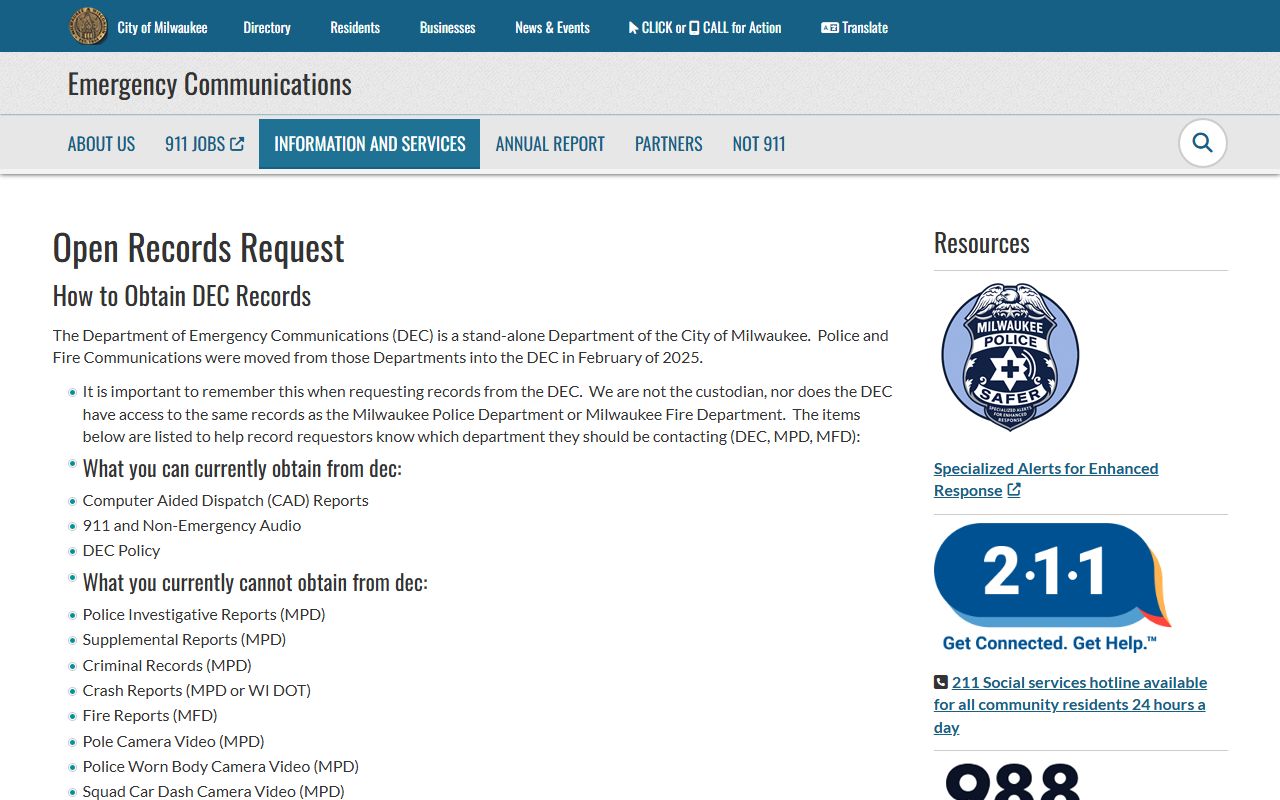
It is the cleanest visual marker for the city’s records route.
The city records portal at Milwaukee records portal is the source for this second Milwaukee Police Records screenshot and should be treated as a routing clue only.
Use it to understand intake, then return to MPD for the actual records policy.
Milwaukee Sources
The best starting sources for Milwaukee Police Records are the MPD open records page and the crash report page. They explain where to send requests, when a crash report moves to the state system, and how to reach the records staff. The traffic crash dataset and the city open data portal add public context, which is helpful when you want to narrow a search before asking for a specific file.
The municipal court payment and citation search pages matter when a police contact becomes a city citation. For reportable crashes, the Wisconsin DOT crash report portal fills the state-side gap once the report is complete. Together, those pages cover the main Milwaukee Police Records paths without relying on third-party sources or broad summaries.
Milwaukee Police Records Help
If you need a report, contact MPD records. If you need a crash file, start with the crash page and then the state portal when the report is ready. If you need a city citation, use the municipal court search and payment pages. That simple split keeps Milwaukee Police Records requests moving in the right direction.
Milwaukee’s system works best when the request matches the office. MPD handles the police file, the state handles completed crash reports, and municipal court handles city citation work. Once you know which lane the record belongs in, Milwaukee Police Records are much easier to search and much easier to use.